Meta has recently announced the release of its new HDMI Link feature for the Meta Quest 2, 3, and Pro virtual reality (VR) headsets, which will now enable users to connect their headsets to a broader range of devices.
What Is HDMI Link for Meta Quest?
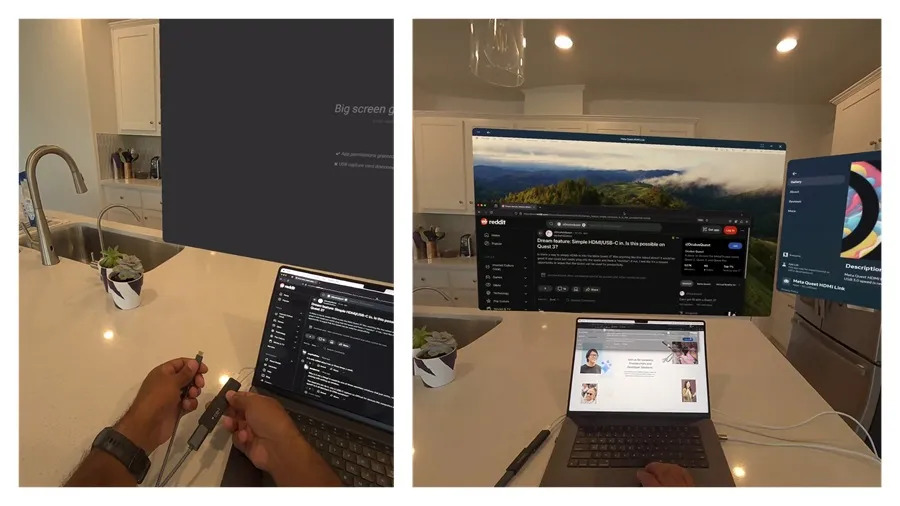
HDMI Link functionality lets Quest users connect their headset to devices with an HDMI or DisplayPort output, allowing them to display 2D content from any compatible device, including handheld PCs, consoles, laptops, and even smartphones, directly in their VR headsets.
How Does HDMI Link Work on Meta Quest Headsets?
The new HDMI Link feature offers an immersive, large-screen viewing experience that Meta states outputs games at 1080p with “near-zero latency” on a screen that users can resize and reposition as needed, comparable to the Theater View that was introduced in a recent v67 software update from the company.
Meta first introduced the concept of connecting Quest headsets to PCs with the launch of the Link Cable in 2019. This development was later advanced with Air Link, which enabled wireless PC streaming to Quest headsets. Now, with HDMI Link, Meta aims to expand the compatibility of Quest headsets, offering users the ability to connect to devices without relying on a Wi-Fi connection, particularly in scenarios where internet access is unavailable or unreliable.
What Do You Need to Set Up HDMI Link on Meta Quest?
Meta noted that setting up HDMI Link does require third-party hardware, specifically a UVC and UAC compatible capture card, along with the necessary cables (USB 3.0 is recommended). The setup involves installing the Meta Quest HDMI Link app on the headset, connecting the source device to the capture card, and then linking the capture card to the headset. While not as seamless as Air Link, Meta has positioned HDMI Link as a practical solution for specific use cases where wireless streaming might not be feasible.
Meta added that the introduction of HDMI Link marks the “latest step to make the next computing platform a reality,” with the move part of the company’s broader strategy to position Quest as a “general computing platform,” capable of interfacing with various devices. Part of that move of course involves ensuring that Quest works and communicates seamlessly with the other devices users rely on and interact with daily.
For more details on Meta’s HDMI Link and to download the app, please visit the company’s website.
Quelle:
Foto: Meta